
Driver Updaterを起動するスケジュールを作成するには?Driver Updaterを起動するスケジュールを作成するには?
WinZip Driver Updaterのスケジュールを作成したい場合、簡単に使える方法がプログラムされています。
方法は下記のとおりです
- “Driver Updater”を開きます
- Options(オプション)をクリック
- Schedule(スケジュール)を選択
- 「スケジュール設定」の項目で、スケジュールの種類を選び、お好きなものを選択してください。
- 適用をクリックします
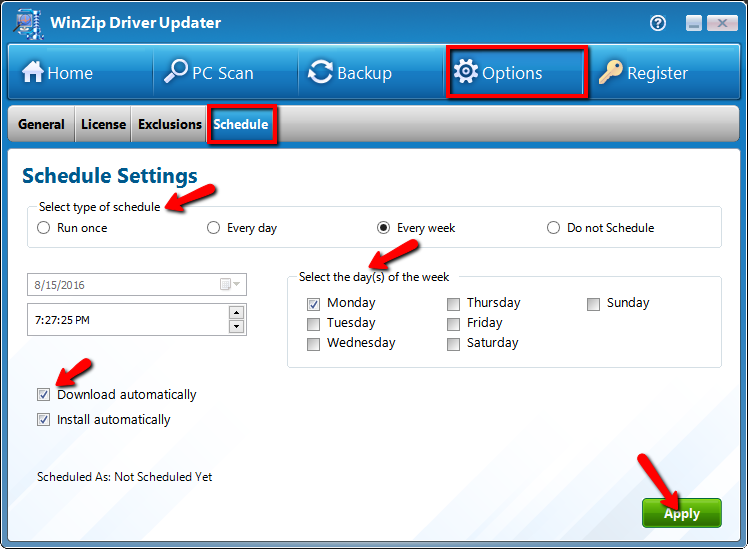
スケジュールの変更
現在のスケジュールを変更し、適用をクリックして新しい設定を保存するだけです。
