How do I use the Startup Manager to improve the start up speed (boot time) of my computer?How do I use the Startup Manager to improve the start up speed (boot time) of my computer?
パソコンのスタートアップ時のスピードを改良し維持したいと思っておられるなら、WinZip Registry Optimizerがぴったりのツールをご用意しています。
「Startup Manager (スタートアップ・マネージャー)」を使って、不必要なプログラムがスタートアップのたびに立ち上がるのをとめましょう。
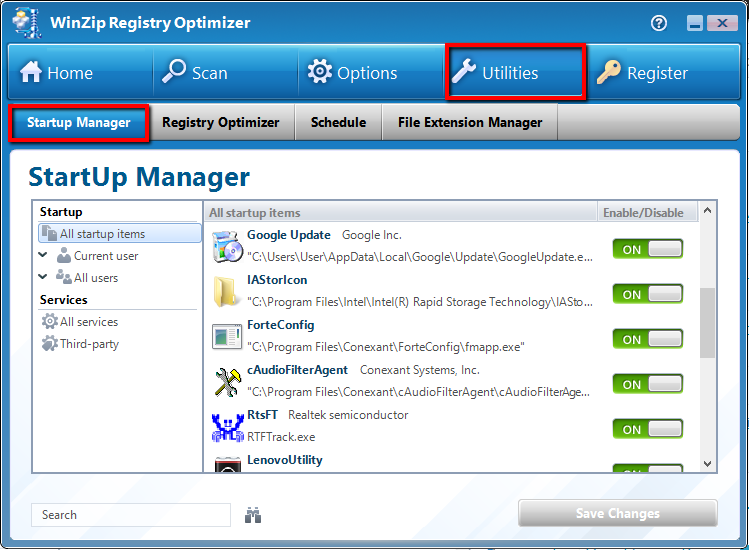
「Startup Manager (スタートアップ・マネージャー)」へのアクセス方法:
- Registry Optimizerを開きます
- トップのナビゲーションメニューにあるUtilitiesアイコンをクリック
- Startup Manager (スタートアップ・マネージャー)タブを選拓